Support
Need a hand with BetterSee? Start with the notes below — they cover the usual camera, household, and billing questions. If you still need us, send a message and we will reply by email.
Getting started
Create an account for a 14-day trial with full access to your first household. From the home screen, add a camera on the local network (IP / RTSP) or with a Cloud ID for remote viewing. There are no ads, and we do not upsell inside the camera grid.
Cameras and video
Local cameras play on your network. Cloud ID cameras (the 16-character serial from iCSee) stream through BetterSee-operated relay workers so the phone never runs the camera SDK. Passwords are encrypted at rest. Live video, PTZ, and SD-card recordings stay on the camera screen — we do not keep a BetterSee cloud DVR.
Find your Cloud ID in iCSee
Open iCSee, tap Settings, then About Device, and copy the SN.
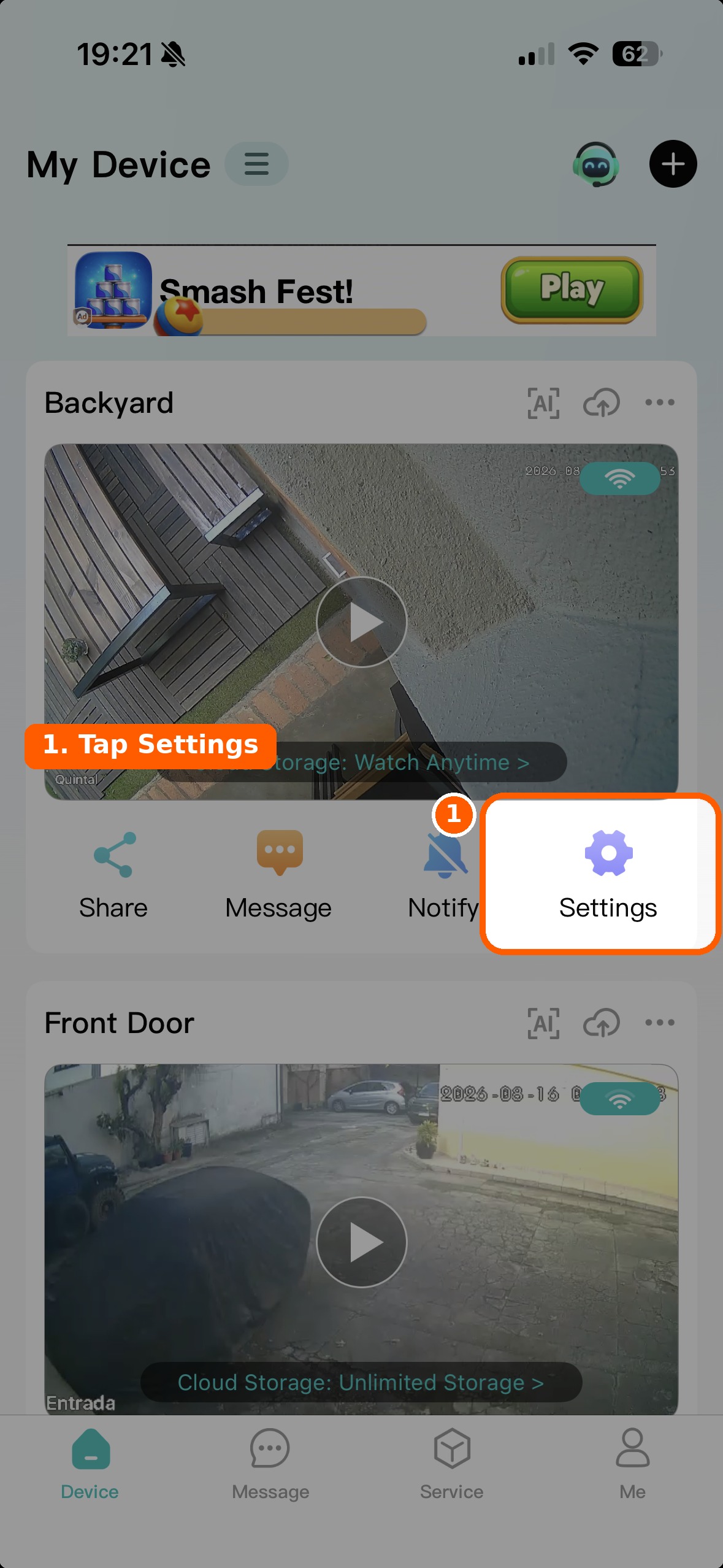
1. In iCSee, tap Settings on the camera.
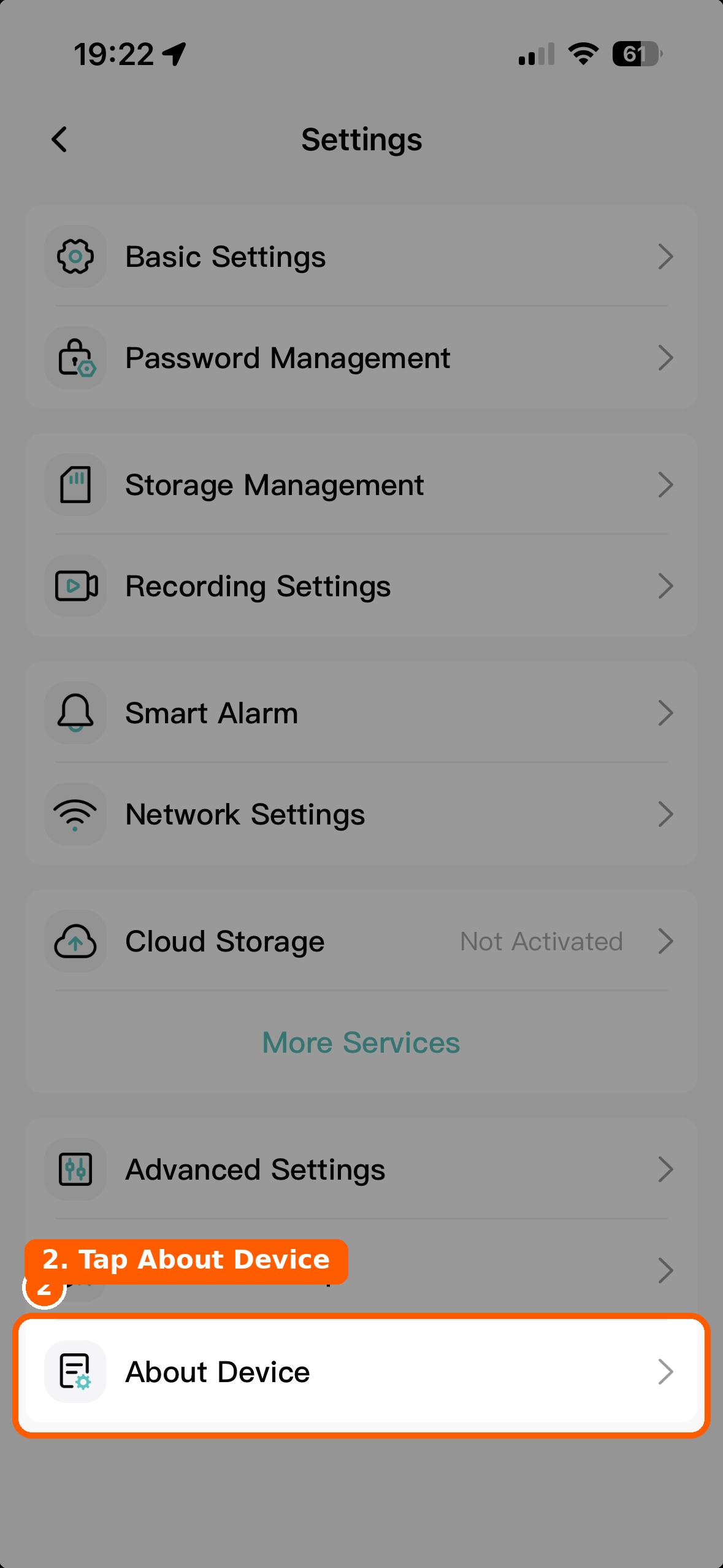
2. Tap About Device.
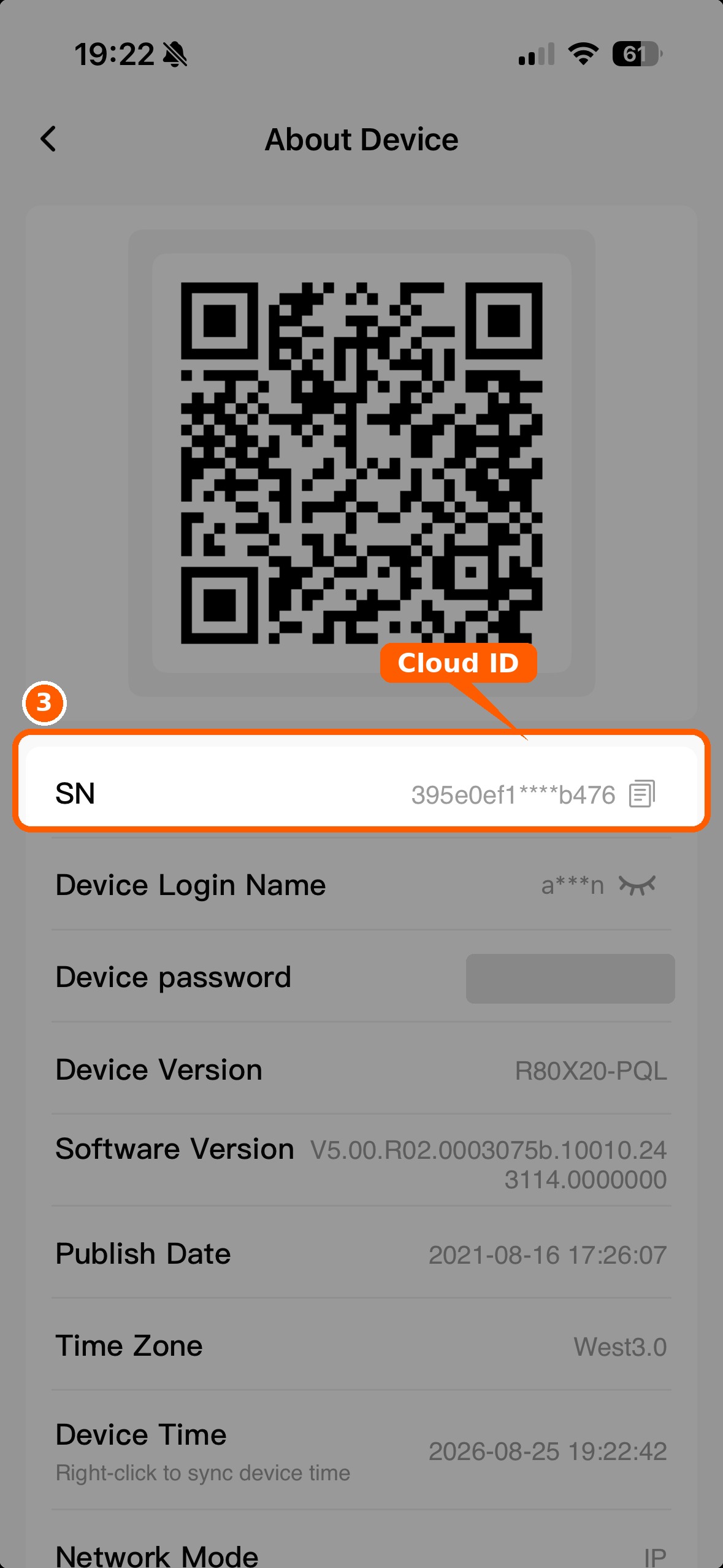
3. Copy the SN — that is the Cloud ID.
Households and members
Cameras belong to a household, not a single login. Owners can invite members by email, manage rooms, and handle billing. Members can watch cameras but cannot change invitations or the plan. Switch households from the name strip above the bottom tabs.
Plans and billing
Standard is $19.90 / year for one owned household. Premium is $39.90 / year for unlimited owned households. Subscribe in the BetterSee app on the App Store or Google Play. Members should ask the household owner if access has expired.
Write to us
Tell us what is going on. We read every message and reply to the email you leave here.